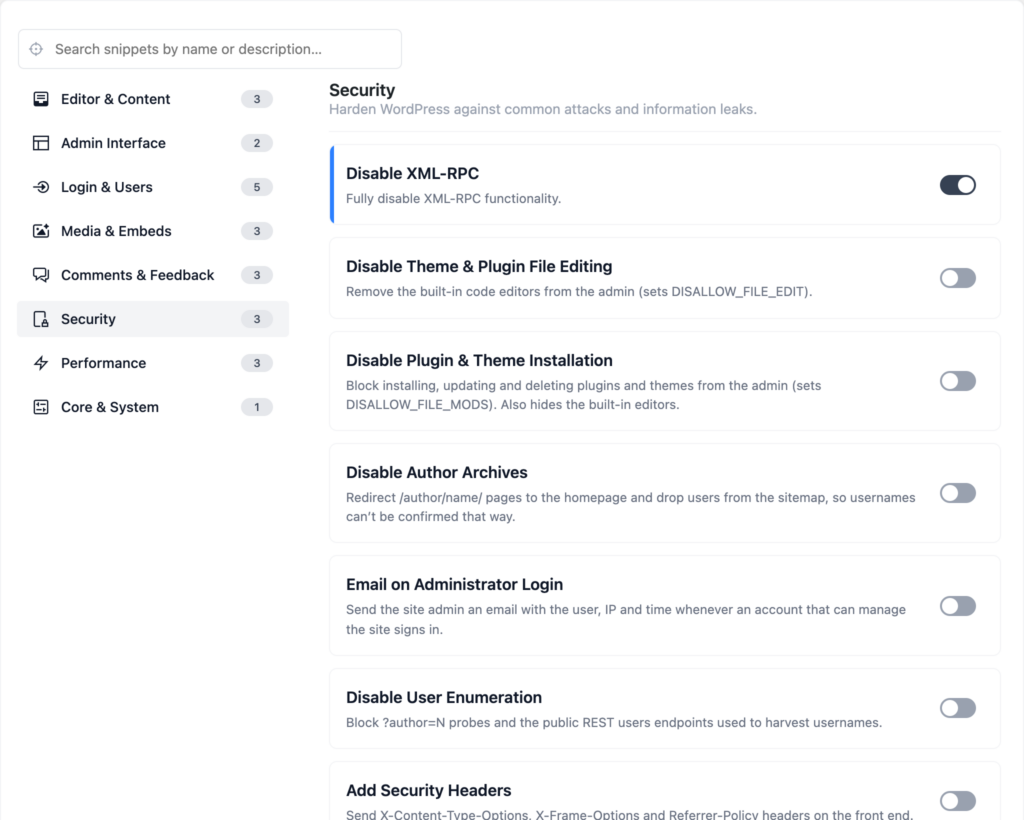
Harden WordPress against common attacks and information leaks.
These snippets live on WP Coder → Snippets, tab Security — the same in WP Coder and WP Coder Pro. Each is a switch: turn it on, fill in its options if it has any, and click Save — the change applies at once; switch it off to undo it. The search box at the top of the Snippets page finds a snippet across all tabs.
- Disable XML-RPC — Turn off the XML-RPC methods that require a login (the usual brute-force target).
xmlrpc.phpstill answers; to also refuse pingbacks, switch on Disable Trackbacks & Pingbacks under Comments & Feedback. - Disable Theme & Plugin File Editing — Remove the built-in code editors from Appearance and Plugins (sets
DISALLOW_FILE_EDIT). - Disable Plugin & Theme Installation — Block installing, updating and deleting plugins and themes from the admin (sets
DISALLOW_FILE_MODS). Also hides the built-in editors. - Disable Author Archives — Redirect
/author/name/pages to the homepage and drop users from the sitemap, so usernames can’t be confirmed that way. - Email on Administrator Login — Email the site admin the user, IP and time whenever an account that can manage the site signs in.
- Disable User Enumeration — Block
?author=Nprobes and the public user REST endpoints used to harvest usernames. - Add Security Headers — Send
X-Content-Type-Options,X-Frame-OptionsandReferrer-Policyheaders on the front end. - Disable Application Passwords — Turn off the Application Passwords feature for all users.
- Hide Login Error Details — Show a generic “Invalid username or password” message so valid usernames can’t be discovered.
- Remove WordPress Version Number — Remove the generator tag that shows the WordPress version in the page source and feeds. Core CSS and JS URLs still carry
?ver=— add Remove Query Strings from Assets (Performance) to hide it there too. - Limit Login Attempts — Temporarily block an IP address after repeated failed logins. The block lifts on its own, and a successful login clears the counter. (Configurable: allowed attempts, default 5, and block time in minutes, default 15.) ⚠ Attempts are counted per IP address (
REMOTE_ADDR). Behind a proxy or CDN that doesn’t pass the visitor’s IP through, all visitors may share one counter. - Disable WordPress REST API — Block public access to the REST API. (Configurable: Only for logged-out visitors — recommended, so the block editor and admin features keep working while anonymous access is blocked.) With it off, REST is blocked for everyone — use with care.
All snippet groups: Editor & Content · Admin Interface · Login & Users · Media & Embeds · Comments & Feedback · Security · Performance · Core & System