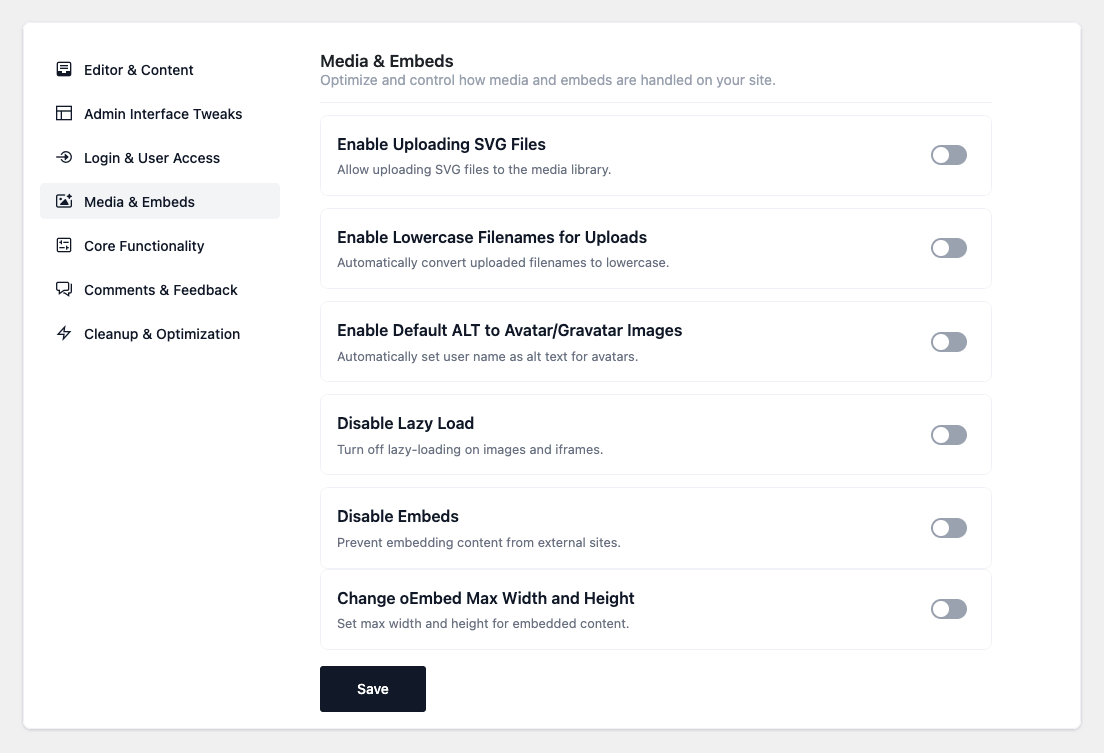

- Enable Uploading SVG Files — Allow SVG uploads to the media library. ⚠ Only administrators can
upload, and uploaded SVGs are not sanitized — SVG can carry scripts, so only allow trusted
admins to use it. - Disable Big Image Scaling — Keep the original of large images instead of downscaling them and
adding the-scaledsuffix. - Default Image Link to None — Insert images without an automatic link to the file or attachment
page. - Enable Lowercase Filenames for Uploads — Automatically convert uploaded filenames to
lowercase. - Enable Default ALT to Avatar/Gravatar Images — Use the user/commenter name as alt text for
avatars that have none. - Add Featured Image to RSS Feeds — Show the post’s featured image alongside its content in RSS
feeds. - Disable Lazy Load — Turn off WordPress’s native lazy-loading on images and iframes.
⚠ Don’t enable this together with Enable Image Lazy Load (Cleanup & Optimization). - Disable Embeds — Prevent embedding content from external sites and remove the related code from
your pages. - Change oEmbed Max Width and Height — Set the maximum size for embedded content.
(Configurable: width default 400, height default 280.)
Media & Embeds
Optimize and control how media and embeds are handled on your WordPress site. Improve performance, accessibility, and consistency with these snippets.