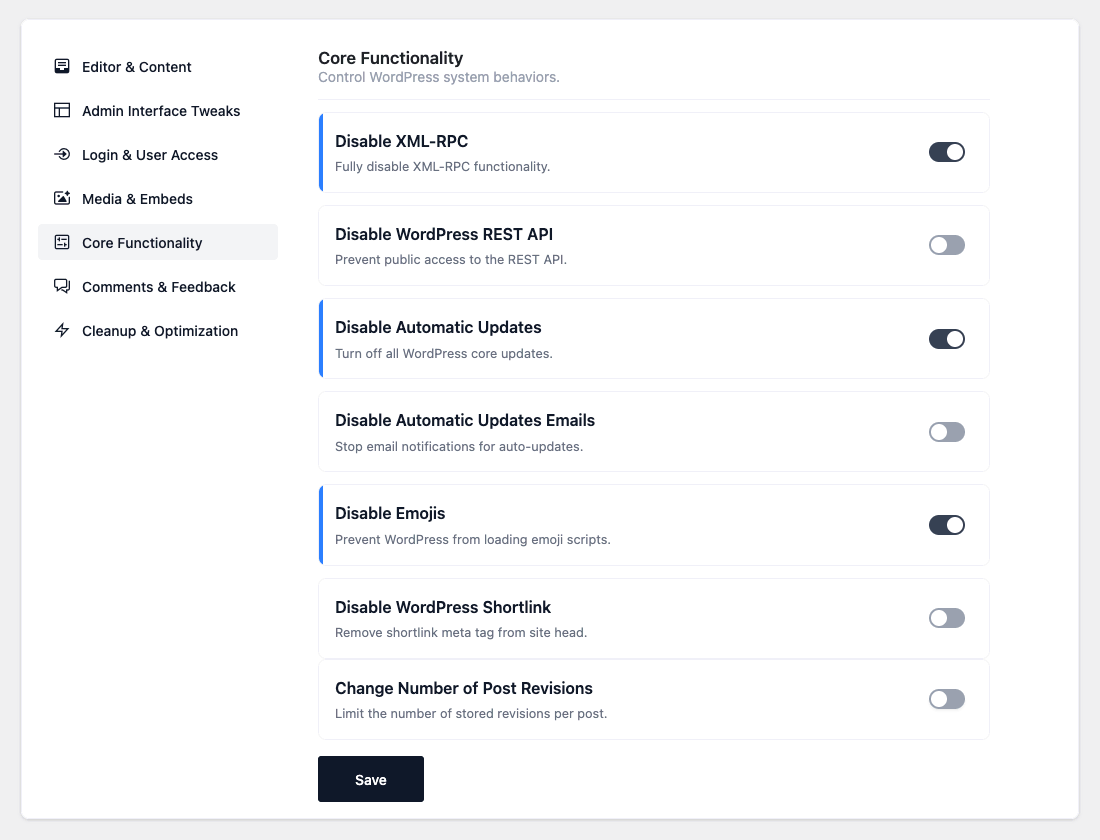

- Disable XML-RPC — Turn off the XML-RPC API.
- Disable Theme & Plugin File Editing — Remove the built-in code editors from Appearance and
Plugins. - Disable User Enumeration — Block
?author=Nprobes and the public user REST endpoints used to
harvest usernames. - Add Security Headers — Send
X-Content-Type-Options,X-Frame-OptionsandReferrer-Policy
headers on the front end. - Disable Application Passwords — Turn off the Application Passwords feature for all users.
- Disable Admin Email Verification — Stop the periodic “Is this email correct?” admin screen.
- Disable WordPress REST API — Block public access to the REST API. (Configurable: Only for
logged-out visitors — recommended, so the block editor and admin features keep working while
anonymous access is blocked.) With it off, REST is blocked for everyone — use with care. - Disable Automatic Updates — Turn off automatic updates for core, plugins and themes.
- Disable Automatic Updates Emails — Stop the email notifications about auto-updates.
- Disable Emojis — Stop WordPress from loading emoji scripts and styles.
- Disable WordPress Shortlink — Remove the shortlink tag from the site head.
- Change Number of Post Revisions — Limit how many revisions are stored per post.
(Configurable: number of revisions, default 10.)
Core Functionality
Control key WordPress system behaviors. Improve performance, reduce bloat, and secure your site with these core functionality snippets.