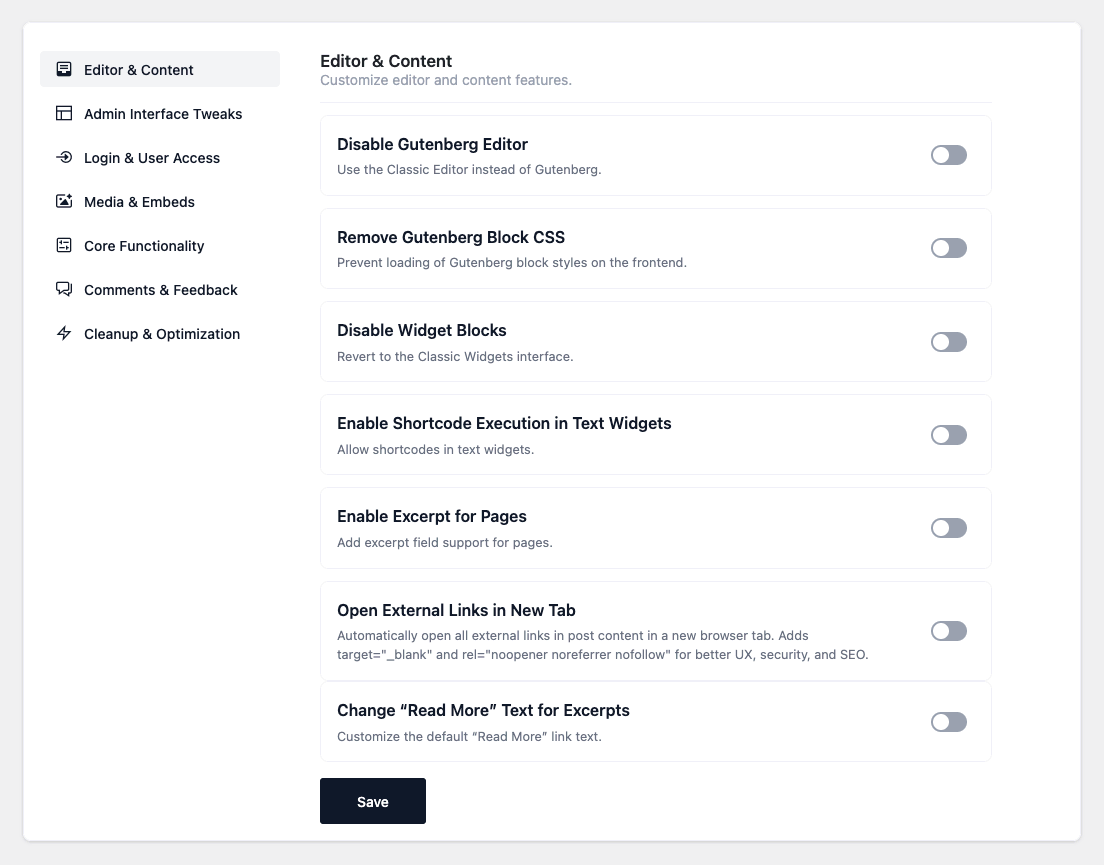

- Disable Widget Blocks — Bring back the classic Widgets screen instead of the block-based
widget editor. - Enable Shortcode Execution in Text Widgets — Let
[shortcode]tags run inside classic Text
widgets (WordPress doesn’t do this by default). - Enable Excerpt for Pages — Add the Excerpt field to the Page editor.
- Open External Links in New Tab — Automatically open links to other sites in a new browser
tab, withrel="noopener noreferrer nofollow"added for security and SEO. Applies to links inside
your post content (not menus, widgets or theme markup). Existingtarget/relattributes are
left untouched. - Disable Block Patterns — Remove all default Gutenberg block patterns (both bundled and remote)
from the pattern inserter. - Change “Read More” Text — Customize the text of the “Read More” link generated by the
<span id="more-1361"></span>tag inside post content. (Configurable: link text, default “Read More”.) - Custom Excerpt Length by Post Type — Set different auto-excerpt lengths (in words) for posts,
pages and custom post types. (Configurable: a default length and per-type overrides like
post=30.) Affects only auto-generated excerpts, not ones you write by hand. - Custom Editor Styles — Load your own stylesheet inside the Gutenberg editor so the editor
matches your theme. (Configurable: stylesheet URL.) - Disable Gutenberg Editor — Use the Classic Editor instead of the block editor.
(Configurable: a comma-separated list of post/page IDs that keep the block editor.) With an
empty list, Gutenberg is disabled site-wide. - Remove Gutenberg Block CSS — Stop loading the default Gutenberg block styles on the front end.
Useful on sites that don’t rely on core block styling. - Add Page Slug to Body Class — Add a
{post_type}-{slug}class to the<body>tag so you can
target a specific page in CSS without needing its ID.
Editor & Content
Customize editor and content features with ready-to-use snippets that improve usability, SEO, and content management.