
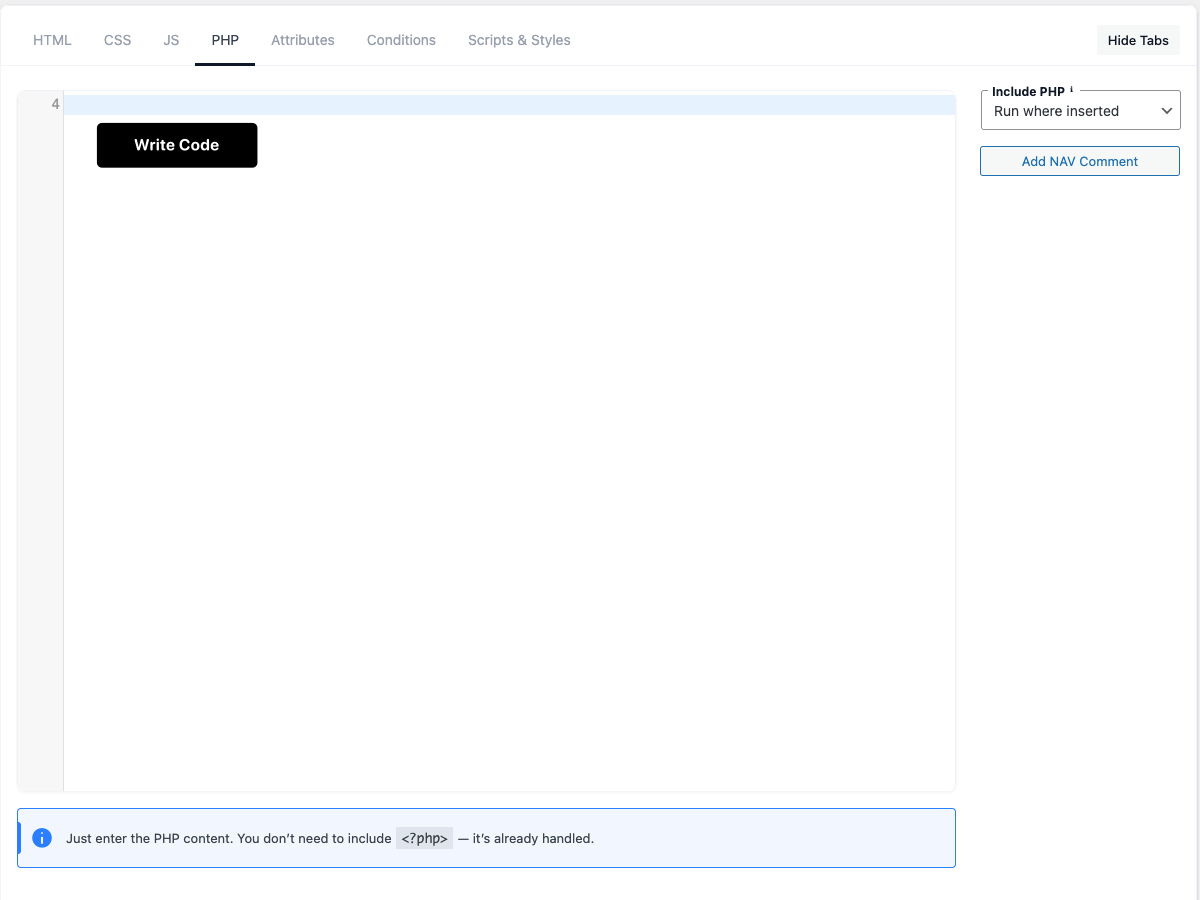
The PHP tab is where you write PHP for your snippet.
Tip: enter only the PHP body — you don’t need
<?php ?>tags. Useecho/
HTML where the snippet renders.
Code editor
The PHP area is a full code editor with syntax highlighting, line numbers and bracket matching.
Sidebar buttons insert text at your cursor.
Include PHP
Choose where and when the PHP runs:
| Option | What it does |
|---|---|
| Run where inserted | Runs only when the snippet renders — via the |
| Run only in admin area | Loaded on every admin request. |
| Run only on front-end | Loaded on every front-end request. |
| Run everywhere | Loaded on every request, admin and front end. |
⚠ The “admin / front-end / everywhere” options run the code globally on matching requests,
independent of the snippet’s Display conditions (which only control visible output). Run where
inserted is the safe default that only runs where you actually place the snippet.
Add NAV Comment
Inserts a // NAV: marker at your cursor. The editor turns these markers into a clickable outline
for quick navigation in long files.
PHP Help
The PHP Help button opens a reference dialog with the basics:
- Don’t add
<?php ?>tags — the plugin handles them. - Use
echo/printto output HTML. - Output an attribute with
{{$name}}in the HTML tab (and in CSS when Inline is on). - A fatal error automatically deactivates the snippet and is reported in the admin, so a bad snippet
can’t take your site down.
It also lists your snippet’s attribute variables and a couple of helpers:
wpcoder_get_repeater( $name )— returns a repeater attribute’s rows as an array.wpcoder_mmd( $text )— renders Markdown to HTML.
Security
PHP you write runs in a protected sandbox:
- Forbidden functions are blocked:
eval,exec,system,shell_exec,passthru,popen,
proc_open,pcntl_exec,assert,create_function,base64_decodeand the backtick shell
operator. A blocked snippet outputs a comment instead of running. - Warnings and notices are captured and reported through the snippet’s PHP error reporting.
- A fatal error automatically deactivates the snippet and shows a notice in the admin.
Safe Mode (fatal-error protection)
Most code errors are caught automatically and deactivate just the offending snippet. Safe Mode
adds protection for the rare “uncatchable” fatals — running out of time or memory — that would
otherwise show a white screen on every request and lock you out of the admin.
How it self-heals: when an uncatchable fatal is traced back to a WP Coder snippet (or Global
PHP), the plugin automatically deactivates that snippet (or turns off Global PHP) and logs it, so
the next page load works cleanly.
Manual recovery (panic mode): add ?wpcoder-safe-mode=1 to any URL to skip all snippet PHP
at once. The admin stays reachable and a notice with an Exit safe mode button is shown, so you
can find and disable the problem snippet.